Posts

Showing posts with the label Android

Here are the Specs & Features of Google's New Android OS "Lollipop 5.0"

Image
With the launch of the Nexus 6 ,  Android users have some new hardware to get excited about. But what's a new phone without some updated software to go with it? Don't fear, techies, because Google's new software update, dubbed Android Lollipop, will be coming to your devices very soon. Google has finally named the next version of Android as Lollipop, and it's a whole new version - 5.0. Here's what you need to know about Android 5.0 Lollipop's release date, design and new features. Also see Nexus 6 release date, price and specs and Nexus 9 release date, price and specs, Nexus Player release date, price and specs We've been running Android Lollipop for a few months now, back when it was known only as Android L, and you can see the new features and screenshots here We've also tested out the increased battery life, but Lollipop is no faster than KitKat Google launched Android 4.4 KitKat last September and then showed off Android L at its I/O 2014 d...

Google Releases Nexus 6: Comparative With iPhone 6 Plus?

Image
Google Inc. (Nasdaq: GOOG) has just unveiled its new big-screen phone, the Nexus 6. Here's a screengrab from the Nexus 6 site : The device has a 5.96-inch display, compared to the 5.5-inch display on the iPhone 6 Plus. The spec and price comparison: The device was developed with Motorola. Here's what Google had to say about the Nexus 6 on its blog: This new phone has a contoured aluminum frame, a 6-inch Quad HD display and a 13 megapixel camera. The large screen is complemented by dual front-facing stereo speakers that deliver high-fidelity sound, making it as great for movies and gaming as it is for doing work. It also comes with a Turbo Charger, so you can get up to six hours of use with only 15 minutes of charge. The device starts at $649 with 32 gigabytes of storage or $699 for 64 gigabytes. Nexus 6 will be available for pre-order in late October and will be in stores in November. Meanwhile, Google also released two other devices on Wednesday: • The Nexus 9 ...

Samsung unboxes the Galaxy Note 4

Image
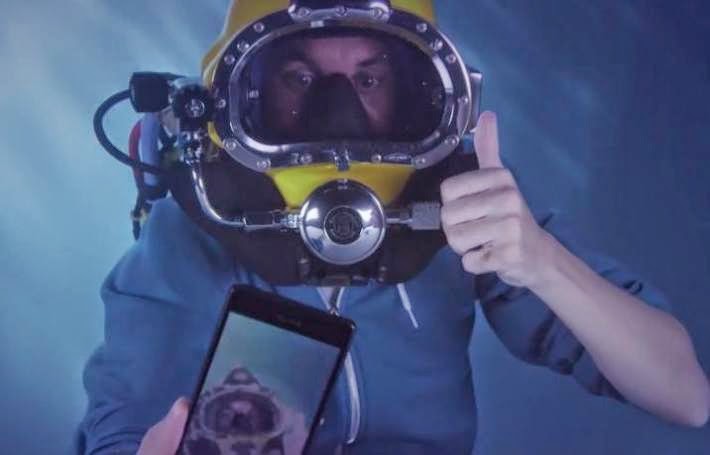
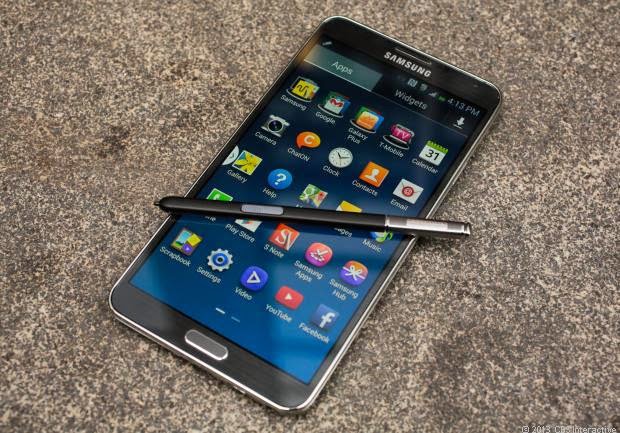
Earlier yesterday Carphone Warehouse unboxed the Sony Xperia Z3 in a less-than-ordinary fashion — by unboxing it underwater. That’s not the only notable unboxing video hitting today, as Samsung has now released an unboxing vid for the Samsung Galaxy Note 4. While Samsung’s video isn’t as unique as what Carphone Warehouse brought us for the Z3, it is the first unboxing of the Note 4 and gives us a closer look at what to expect. Keep in mind that the video shows off the Korean model, which arrived today, ahead of original schedule. That means that the boxing materials may not be exactly the same as you’ll find in other markets, and it also means the video is in Korean, though there are English subtitles. Looking for more details regarding the Note 4? Check out our original IFA announcement, as well as our hands-on first look of the latest Note: While the wait has ended for those in South Korea, the rest of the world doesn’t have too much longer as the handset is expected...

Xperia Z3 gets unboxed underwater, just because

Image
The folks over at Carphone Warehouse just added a new twist to an old concept. For Sony’s new Xperia Z3 flagship, the UK retailer sent a bloke to the bottom of a swimming pool to do an underwater unboxing. Just don’t ask us why. Sony Xperia Z3 underwater unboxing  The Xperia Z3 is resistant to elements, just like its predecessors, though Sony upped the ante with a double certification, IP65 and IP68. This means that the phone is “dust tight” and that it can withstand low-pressure jets of water from all practicable directions (IP65), as well as immersions under 1.5 m of fresh water for up to 30 minutes (IP68). Just don’t forget to properly close all the flaps on the phone before you take it for a dip – Sony will not replace your water-damaged phone if it finds that the flaps work as intended. We’ll have the Xperia Z3 soon in-house for our own reviews and feature focus posts. Until then, Carphone Warehouse guy, we challenge you to do a full underwater review. What do you...

How to Configure Internet Access For MTN, Airtel, Vodafone, Glo, Tigo & Expresso on Android Phones

Image
Hi guys, here is graphic-photo tutorial on How you can configure your Android phone for browsing the Internet on the mobile network you use. Meanwhile, this configuration is for Ghana networks. Who knows? it might work for you too. Just follow the steps below to Configure.

How To Install Whatsapp and other Android Apps On Windows PC

Image
Click to view image well Hello guys, here is a quick glimpse on how to get Whatsapp and other Android apps on your Windows (XP, Vista, 7, or 8) PC. Most people like me dine and wine with the PC a lot, so its difficult to visit my mobile Whatsapp. With this tutorial, that problem would be eliminated shortly.  Follow the Steps below. Step 1 - Download Bluestacks for Windows HERE Step 2 - Install it Step 3 - Move your mouse to the Settings button at the right bottom of Bluestacks

How to hide Whatsapp 'Last Seen' time-stamp for Android

Image
Hi guys, i would be showing you how to hide the Whatsapp time-stamp on your Android device. For iOs users, they can easily hide it through the advanced settings. Many Android users get into misunderstanding with themselves all because of Whatsapp 'Last Seen' day-by-day. Have got lot of friends in same issue. And now, its been solved. Here is how you get it solved. 1 - Go to 'Android Market' which is now called 'Google play' on your android device 2 - Search for 'Whatsapp Ghost ', Download it. And we are done. Now, anytime you need to reply your messages or just browse through your Whatsapp. Open 'Whatsapp Ghost'. If you find this helpful, please share. :)